 Contact Us



Technical Setup Polygonal Warp
One new addition to the PIXERA Feature set is the "Polygonal Warping" feature.
Through this feature, it is possible to create Feeds that are not only rectangular but polygonal.
To access this feature, a Projector and a Screen object must be in the Workspace.
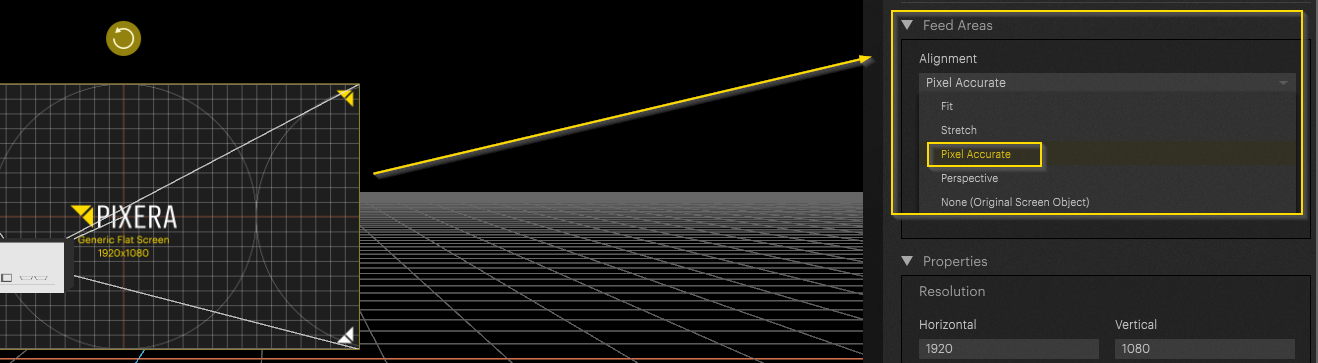
It is important that the correct Feed Area Alignment is activated and stored for the Projector. In this case, the Pixel Accurate mode is required. For a more in-depth explanation on Feed Areas, refer to: Projector Feed Areas.
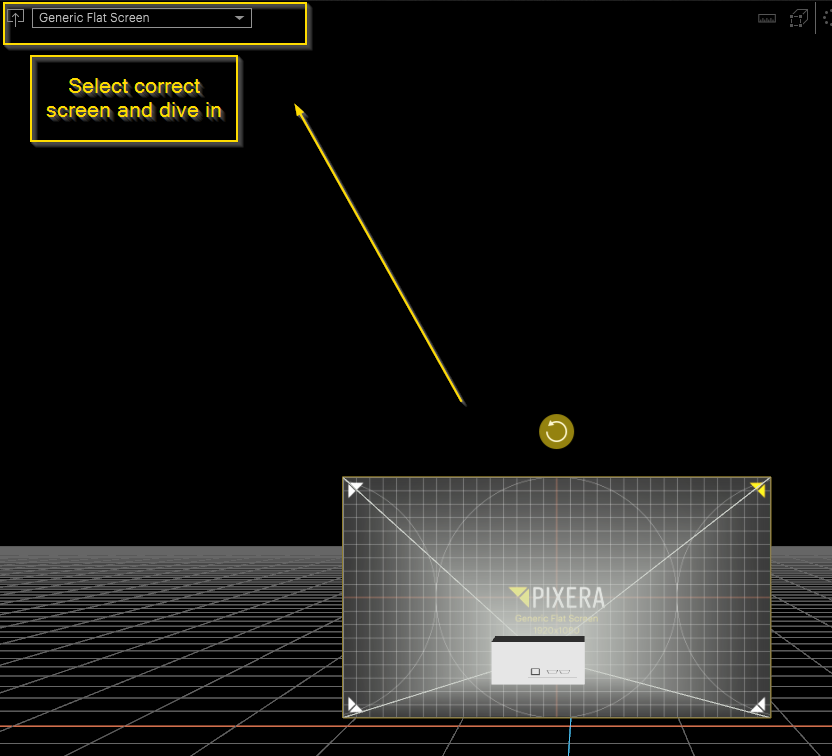
Next, select the Projector to edit the feed on and dive in to the Workspace:
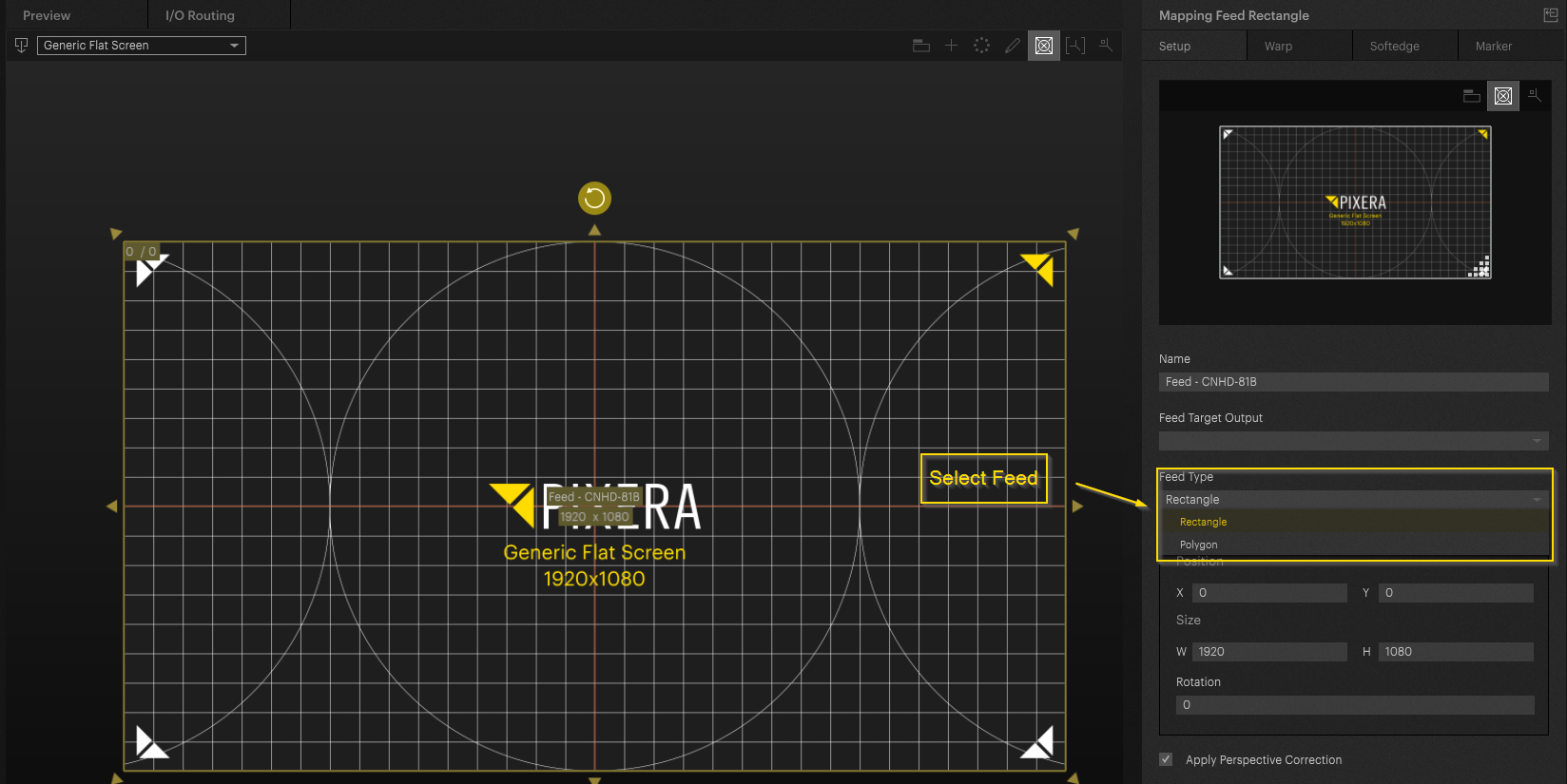
Feed View should now appear. By default the Feed Type is set to Rectangle. This can be switched to Polygonal:
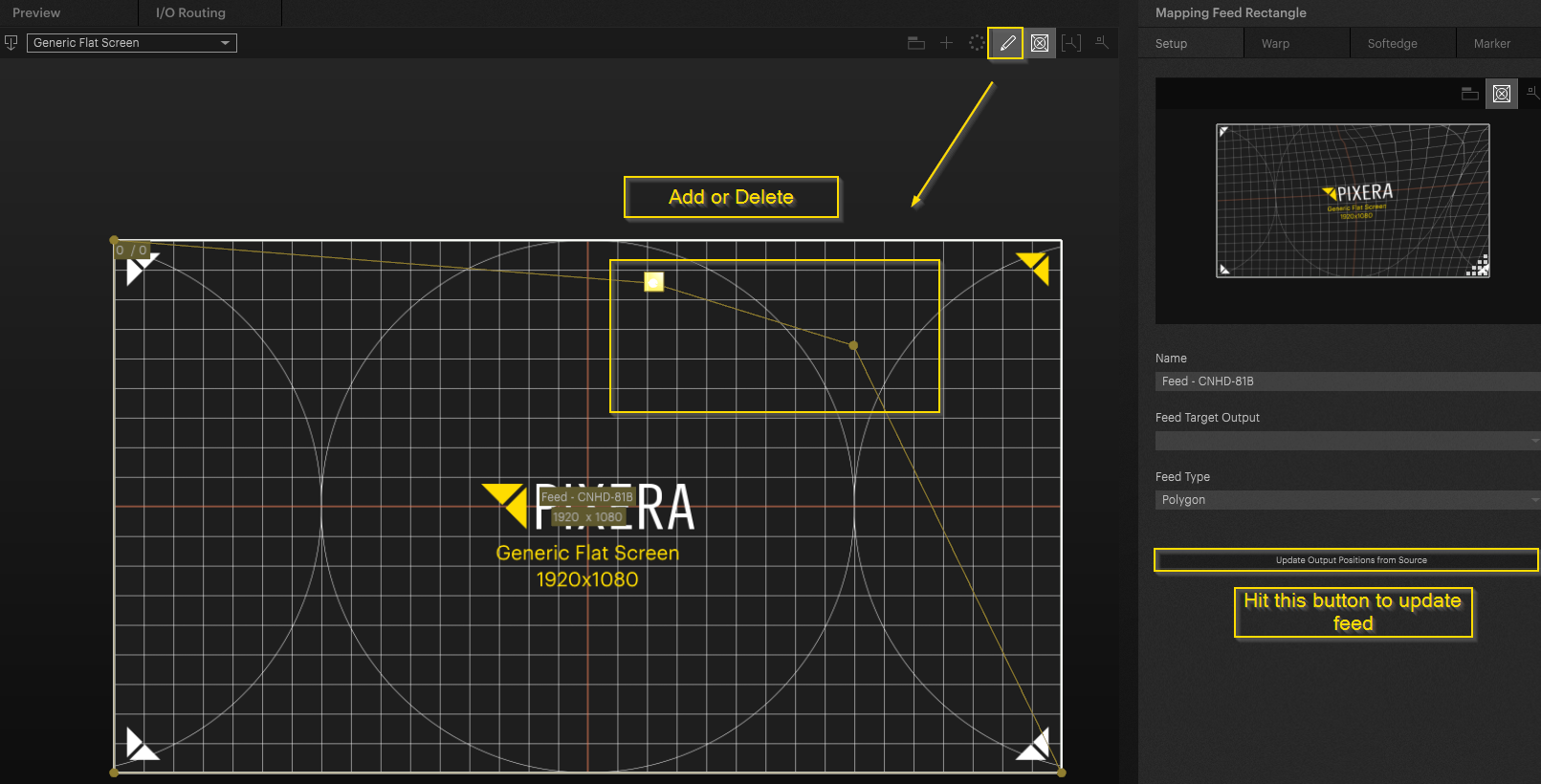
The Edit pencil icon at the top of the Workspace can be used to switch to Edit mode. Here, it is possible to create additional points or delete existing points on this Feed.
Example - Dodecahedron
Here is a practical example of Dodecahedron texture mapping without using its 3D model.
First, a texture map of the Dodecahedron is imported and placed on the screen used.
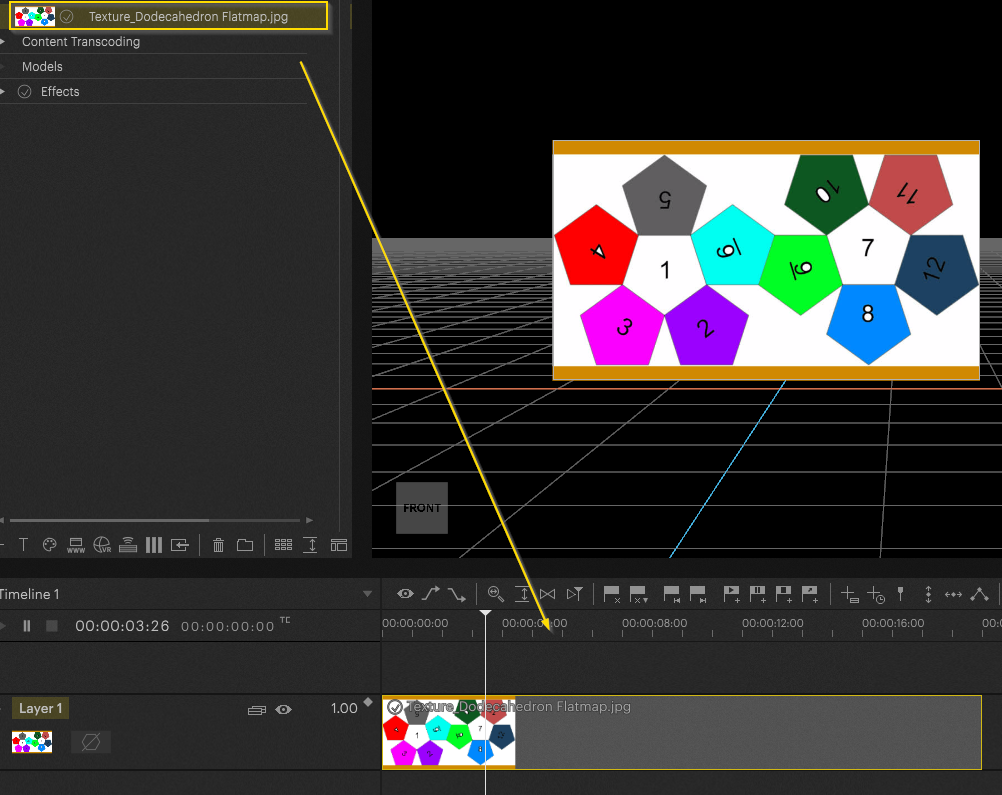
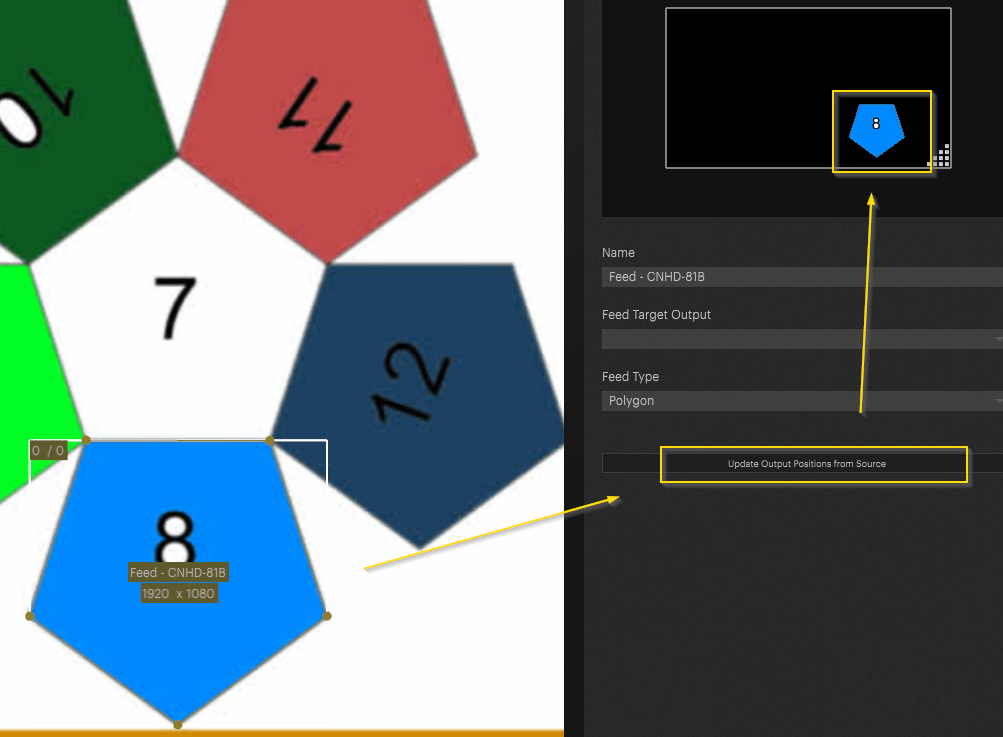
In the Warping tab, the steps described are now carried out to achieve the desired Feed Shape.
In this case, a part of the texture is cut out, and when dived out, can be moved on the Output wherever it needs to go.
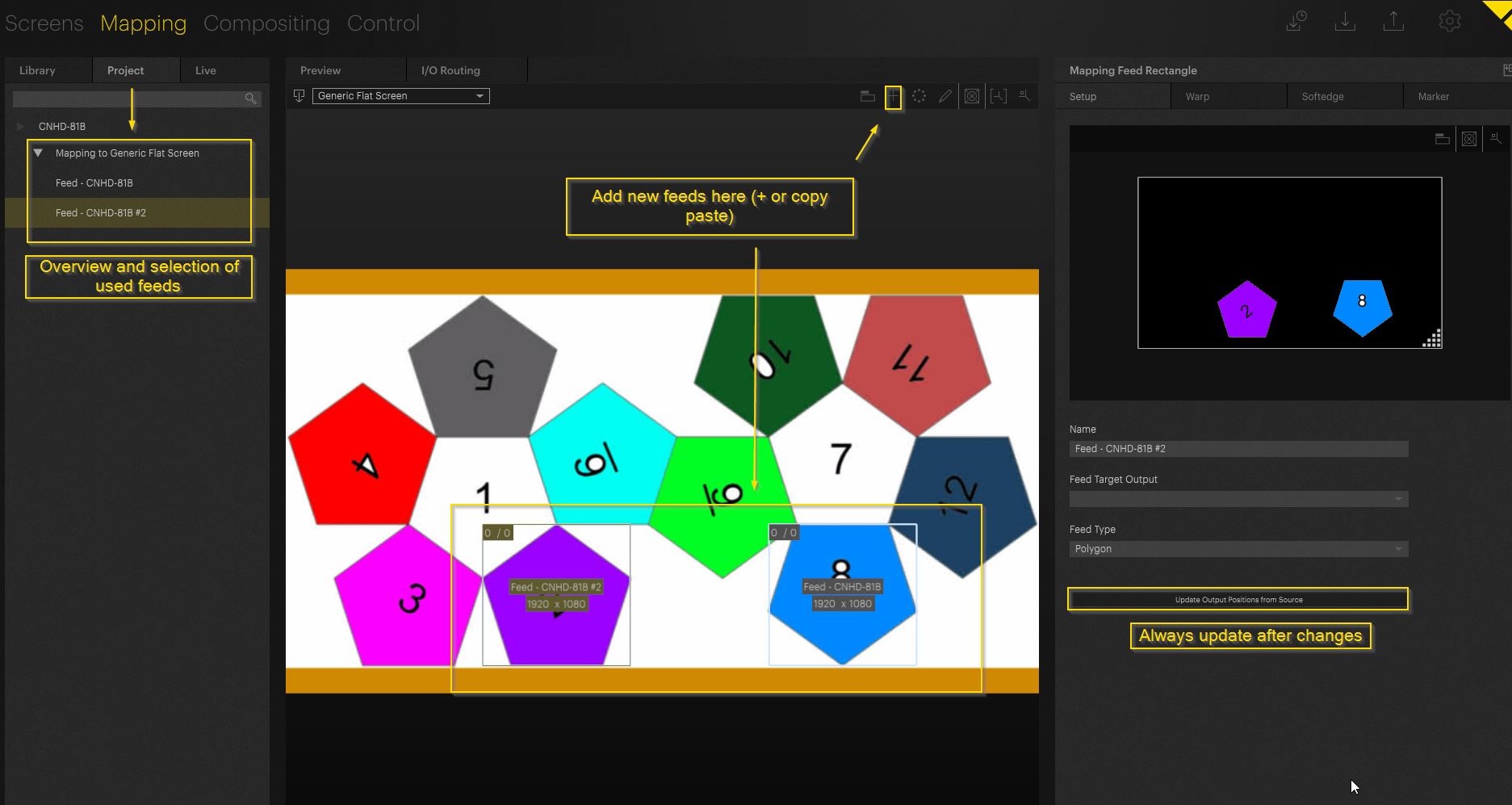
For the Dodecahedron, multiple Feeds will be necessary. Additional Feeds can be created by diving back in and using the + icon at the top of the Workspace, or via a copy + paste (CTRL + C then CTRL + V) of the current already made Feed.
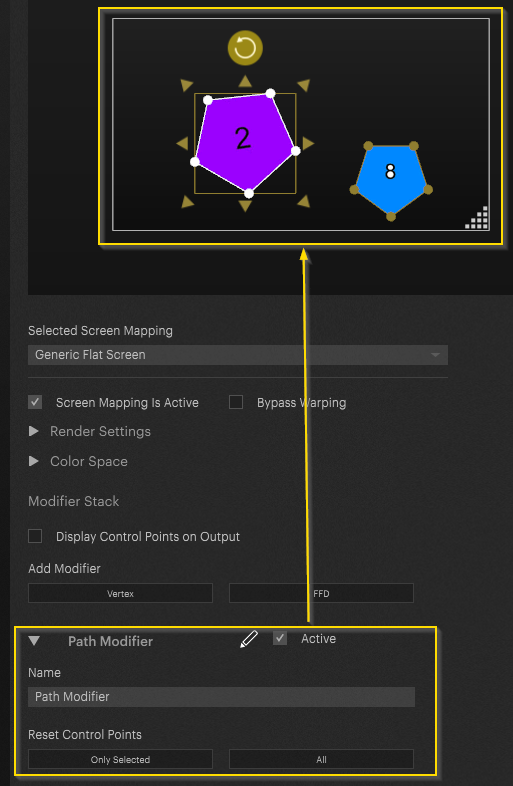
By returning to the Workspace view. The Feeds can now be edited independently of each other.
PIXERA 25.2 R 12 | 23 February 2026 | CL