 Contact Us



Action with Attribute are actions that can store a value, display a value, or provide an input field for the user.

Possible different variants
There are the following variants
- Any
- String
- Double
- Bool
- Table
- Internal
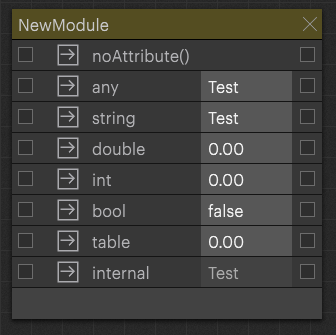
These actions can be added by right-clicking on the module: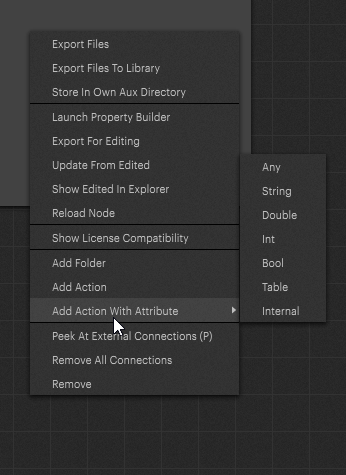
These differ only slightly and can still be changed afterward. The difference lies in the automatically generated code which is saved in the actions.
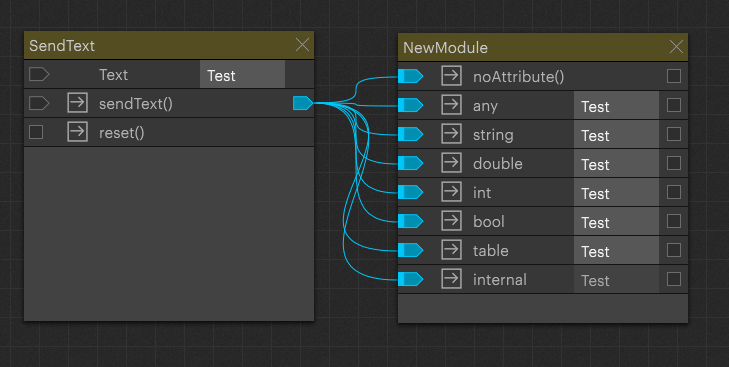
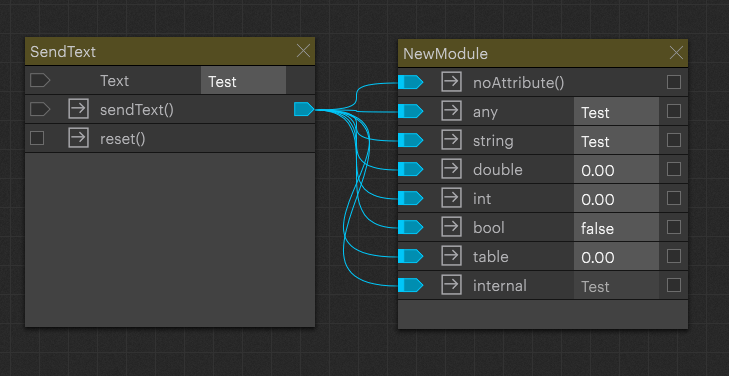
Although all values can be sent and displayed, no strings are stored in the internal processing, for example, an int. This means that strings are saved as 0.00 in this case, this is only visible after a reload of the control core or a reopen of the PIXERA Project→ Control Core
After sendText() is triggered:
After reload:
Automatically generated code
If actions are generated automatically with attributes, they are generated with code. To do this, a variable is created which corresponds to the name of the variable:
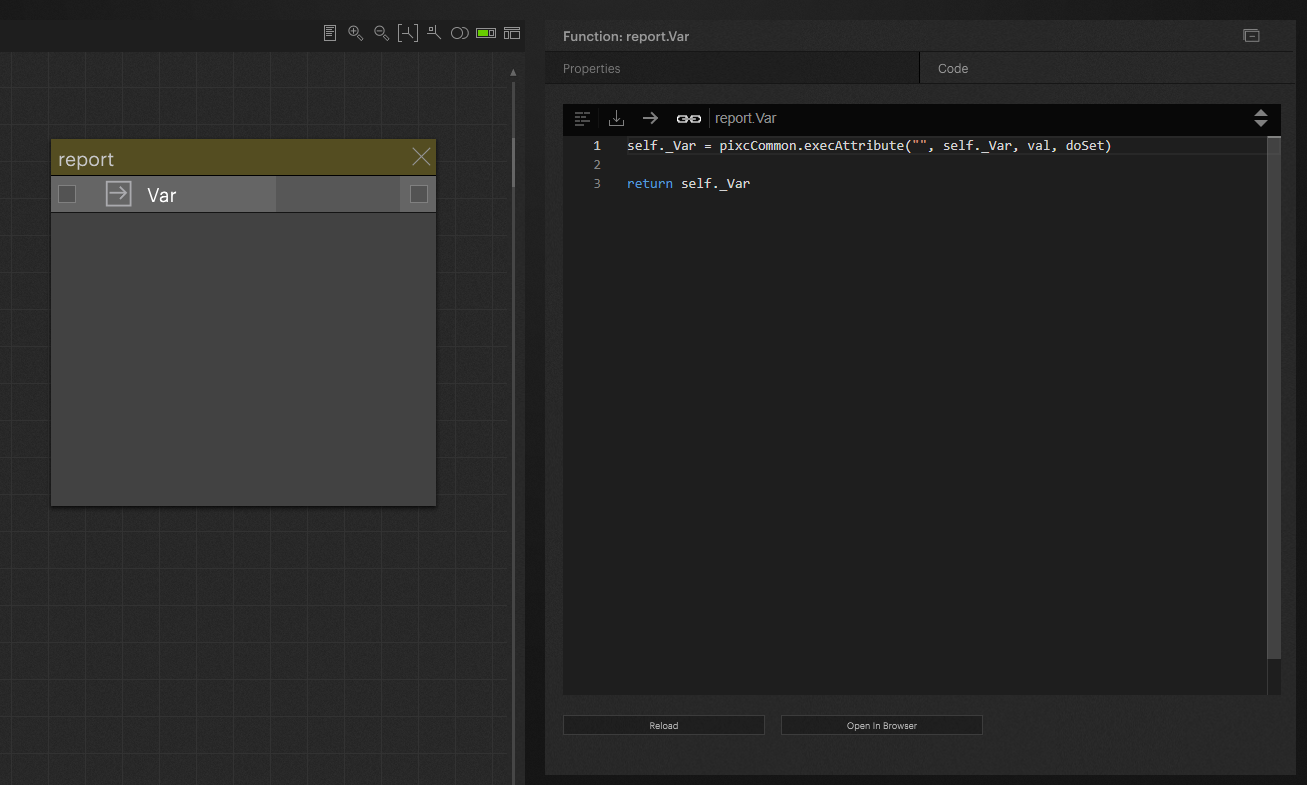
In this example, the variable “self._Var” is generated.
Values sent in to this action will be saved in “self._Var” which is a module wide variable.
The different types of variables generate different code.
Learn more about execAttribute()
Warning
It can lead to a problem if this generated variable uses the same name as other variables. It is up to the programmer to control this.
Info
The default is that if an action with attribute is executed manually with the button, no value is passed on in the node based system because the input is a nil value. If a new value is set, this is sent on to the node system
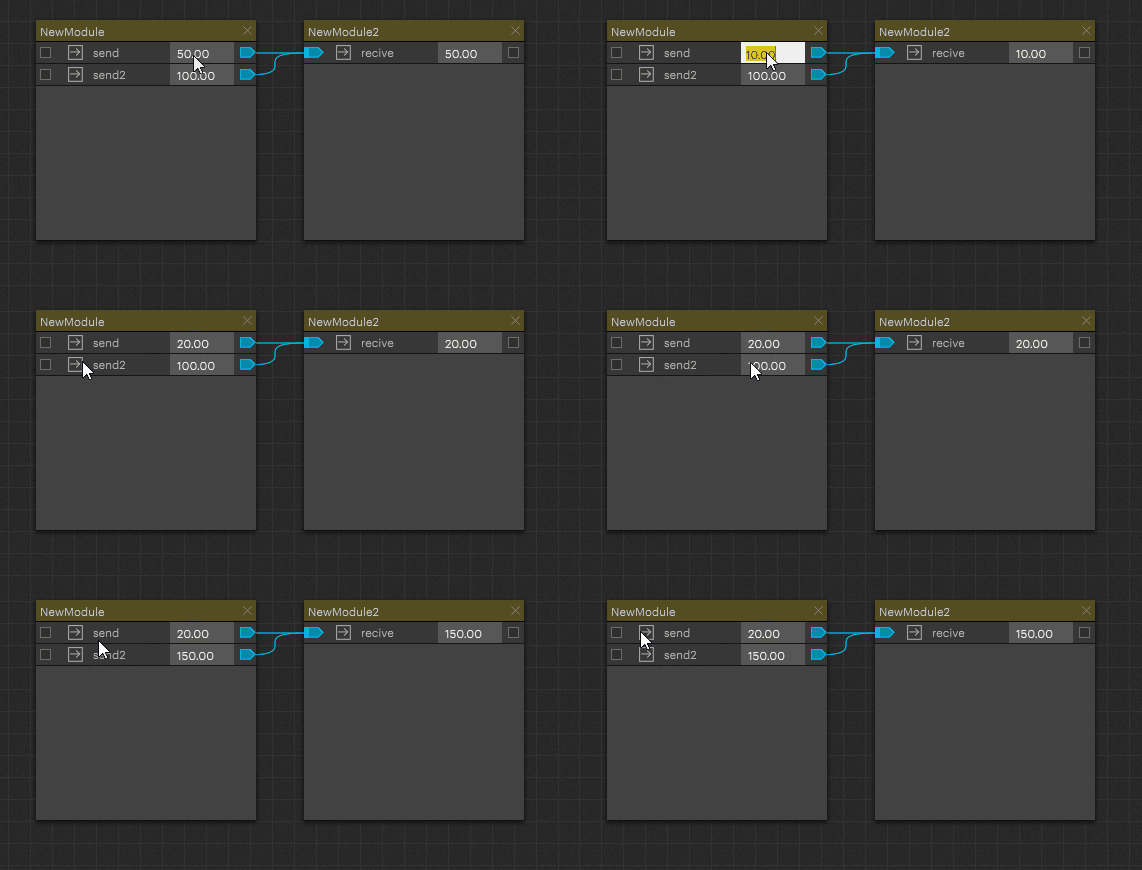
val, doSet
These 2 parameters are generated automatically for actions with attributes.
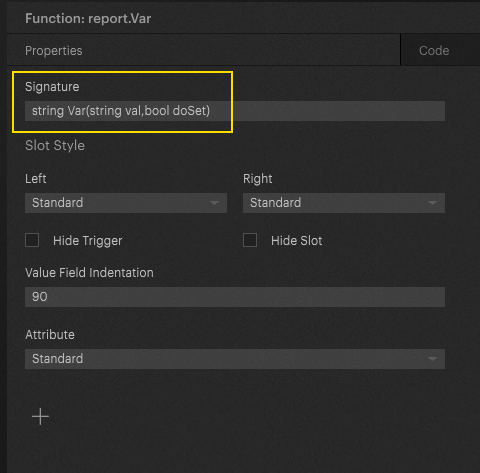
The parameter val is the one that passes the data.
The parameter doSet is a bool which can decide whether this new value is also set. If False is specified for doSet, the action is triggered but no new value is saved.
INFO
The default parameter doSet is set to “true” if not specified
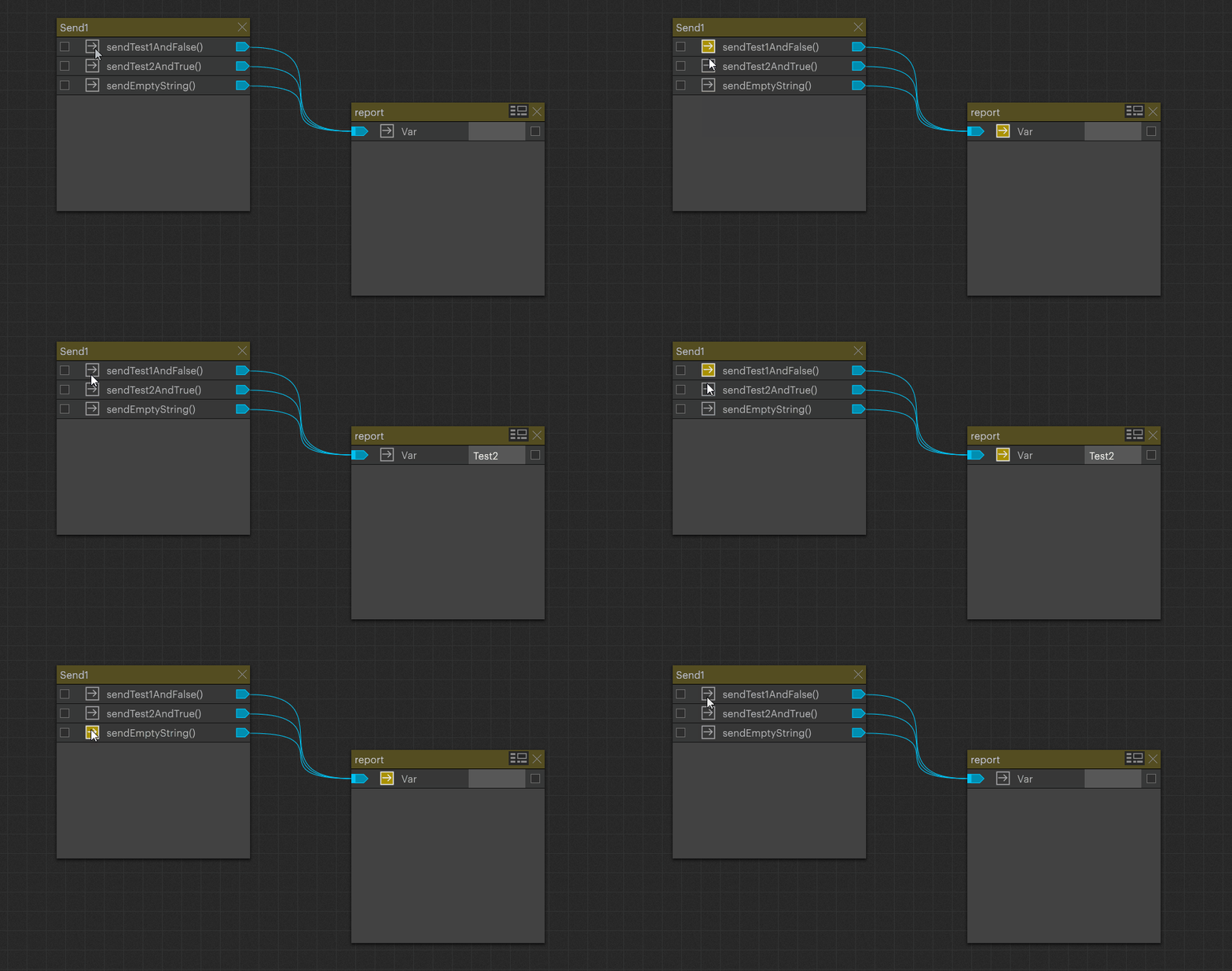
This feature is used as an example if the current value should only be read out and not be overwritten, this is needed as an example in the Monitor Label (Module UI Elements).
Read And Write Behavior
The generated action usually receives two relevant arguments:
-
val: the new value that may be written to the attribute -
doSet: an optional flag that controls whether the new value should actually be stored
The common behavior is:
- Calling the action without a value returns the current attribute value.
- Calling the action with a value stores that value.
- Calling the action with a value and
doSet == falsereturns the current value without changing it.
Conceptually:
self.myAction()          -- read current value
self.myAction(25)        -- set current value to 25
self.myAction(25, false) -- do not set; return current value
Reload Behavior
Actions with Attributes are restored from the PIXERA project after a Lua core reload.
This means that after the Lua core is rebuilt or reloaded, PIXERA loads the saved attribute value from the project again. The Action with Attribute is automatically executed during initialization so that the internal self._... variable is filled again.
This is why the generated code assigns the return value back to the internal variable:
self._myAction = pixcCommon.execAttribute("", self._myAction, val, doSet)
Lua plain data types are not passed by reference, so this assignment is the pattern used to persist the updated value in the action instance.
What execAttribute Does
The core logic is implemented by pixcCommon.execAttribute:
function pixcCommon.execAttribute(default, valOld, valNew, doSet, alwaysCallRefs)
    -- Return value should be assigned to caller's valOld instance
    -- (conventional idiom to work around the fact that Lua can not pass
    -- plain data types by reference).

    -- The logic of this function is motivated by the need to support "naive"
    -- invocations that do not explicitly set both valNew and/or doSet.
    -- e.g. local res = self.Atttribute() must deliver the old value.
    -- e.g. self.Atttribute(25) must set the value to 25.
    -- At the same time, invokers that explicitly set both parameters must
    -- also be able to control the attribute. The basic approach is that
    -- setting requires a non-nil new value but can be blocked by explicitly
    -- using a false doSet.

    -- nil valNew or explicitly false doSet lead to return of valOld.
    if valNew == nil or (doSet ~= nil and not doSet) then
        if valOld == nil then
            valOld = default
        end
        if alwaysCallRefs == nil or not alwaysCallRefs then
            pixc.suppressCallRefs()
            pixc.report(valOld)
        else
            pixc.reportAndCallRefsNc(valOld)
        end
        return valOld
    end

    -- valNew is non-nil and setting not blocked by false doSet.
    if valNew == nil then
        valNew = default
    end
    -- if alwaysCallRefs = false and valNew = valOld suppressCallRefs
    if valNew == valOld and not alwaysCallRefs then
        pixc.report(valOld)
        pixc.suppressCallRefs()
        return valOld
    end
    -- for rebuild control if valOld is nil because of rebuild and alwaysCallRefs = false suppressCallRefs
    if valOld == nil and not alwaysCallRefs then
        pixc.report(valNew)
        pixc.suppressCallRefs()
        return valNew
    end
    pixc.reportAndCallRefsNc(valNew)
    return valNew
end
Arguments
| Argument | Meaning |
|---|---|
default |
The fallback value used when no old value exists yet. |
valOld |
The currently stored value, usually self._actionName. |
valNew |
The new value passed into the action. |
doSet |
Optional flag that can prevent writing when explicitly set to false. |
alwaysCallRefs |
Optional flag that controls whether references should always be called. |
Execution Cases
Reading the Current Value
If valNew == nil, the function treats the call as a read.
If no old value exists yet, valOld is initialized with the default value.
self.myAction()
Result:
- returns the current value
- reports the current value to PIXERA
- suppresses reference calls unless
alwaysCallRefsis enabled
Blocking a Write
If doSet is explicitly set to false, the function also returns the old value without writing the new one.
self.myAction(25, false)
Result:
- does not store
25 - returns the existing value
- reports the existing value
Writing a New Value
If valNew is not nil and doSet is not explicitly false, the value is written.
self.myAction(25)
Result:
- stores
25 - reports
25 - calls references unless they are suppressed by one of the special cases
Writing the Same Value Again
If the new value is the same as the old value and alwaysCallRefs is not enabled, PIXERA reports the value but suppresses reference calls.
self.myAction(25)
self.myAction(25)
The second call does not trigger references again by default.
Rebuild Or Reload Initialization
If valOld == nil during a rebuild or reload, but a new value is supplied from the project, the function reports the value and suppresses reference calls unless alwaysCallRefs is enabled.
This prevents initialization from behaving like a normal user-triggered value change.
Summary
An Action with Attribute is a PIXERA action that stores a value in a generated self._... variable. The generated Lua code delegates all read, write, reporting, reference-call, and reload behavior to pixcCommon.execAttribute.
The action name determines the internal variable name, and the selected attribute type only changes the default value passed to execAttribute.
PIXERA 26.2 | 20. May 2026 | J.B.